Uncaught exception after “Inspect connection”
Error: Connection inspector crashed at HTMLButtonElement.onclick (http://127.0.0.1:65299/dashboard:22:330)
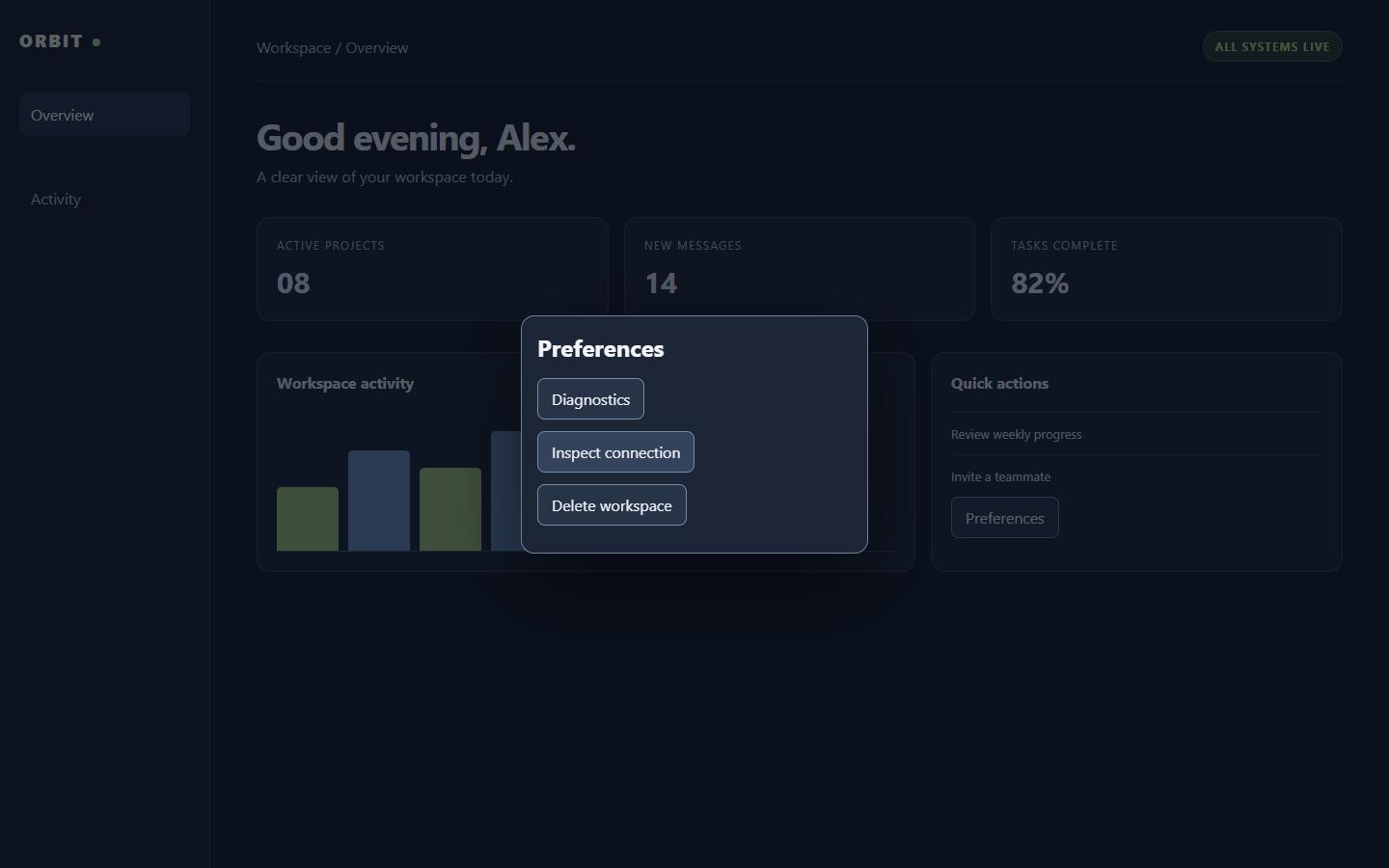
An unhandled page exception was observed, not inferred from appearance.
A second opinion for your localhost.
Find the broken clicks, failed requests, and screens your agent missed.
Windows 10/11 x64 · macOS coming soon · checking current price · no subscription
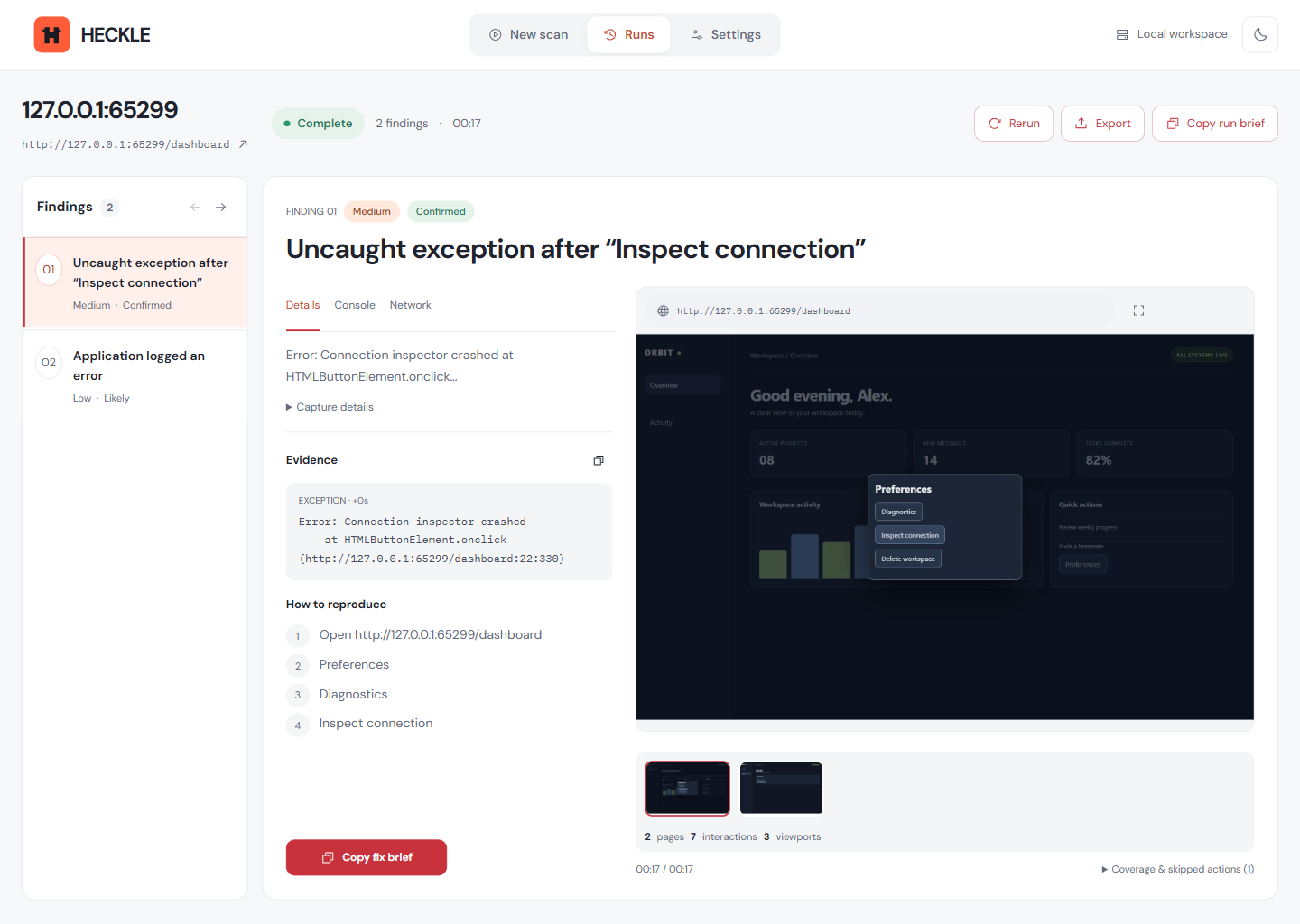
Actual desktop capture. A recorded run against our intentionally broken benchmark app.
Looks right isn’t the same as works right.
That’s where a little skepticism helps.
Implementation complete.
All requested changes done.
No test scripts. No configuration.
Just the app you’re building.
Pages, clicks, requests, small screens.
The parts worth a second look.
Give the evidence to your agent.
Run it again after the fix.
Not “something went wrong.” The exact click, the screen, and the request that failed. Everything your agent needs to try again.
“Delete workspace” was skipped.
Safe Mode stayed on.
Error: Connection inspector crashed at HTMLButtonElement.onclick (http://127.0.0.1:65299/dashboard:22:330)
An unhandled page exception was observed, not inferred from appearance.
↑ SELECT AN ISSUE. INSPECT THE EVIDENCE.Real benchmark findings. This page does not scan your app.
Built around the failures that hide behind “looks good on my machine.”
IMPLEMENTED IN V1Buttons, forms, navigation, dead links.
Console errors, failed requests, broken assets.
Responsive overflow and clipped controls.
A focused second pass. Not a guarantee that every bug is caught.
Browser checks run on your machine. Your unreleased app doesn’t need to be hosted on a remote QA service. No account or AI API key.
Desktop first. Local execution. Fewer moving parts.No subscription for local HECKLE.
One less thing on your monthly statement.
The complete local utility. Nothing held back.
First 100 at $7 · next 200 at $9 · then $19 standard
The website is where you buy HECKLE. The desktop app is what can reach your localhost, launch a controlled browser, use your prepared session, and keep the evidence on your machine.
One at a time. Deactivate the old computer in Settings, then use the same key on the new one.
Only for activation and occasional validation. After a successful check, scans keep working offline for fourteen days.
HECKLE launches first on Windows 10 and 11 x64. Native Apple Silicon and Intel Mac builds are planned after the Windows release is verified in production.
License checks and update requests. Scan targets, screenshots, browser sessions, reports, and application data stay local. Diagnostic evidence is attached only when you explicitly include it.
Ask within fourteen days of purchase. We will refund the payment and deactivate the associated key.
Install from the Microsoft Store. Activate before your first scan.
Install from the Microsoft Store when the Windows release is live, then activate before your first scan. macOS is coming soon.